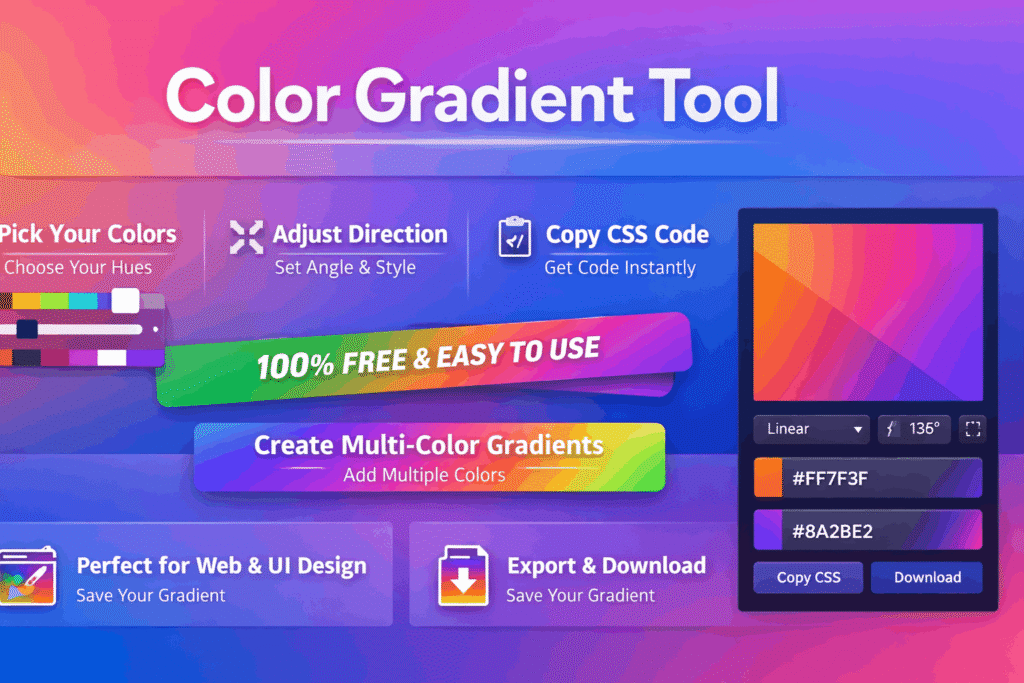
Advanced Color Gradient Generator
Gradient Controls
Gradient Type
CSS Output
Gradient Presets
Advanced Color Gradient Tool • Easily create and copy CSS gradients for your projects
Color Gradient Generator – A Simple Way to Create Modern and Eye-Catching Designs
Sometimes a design just feels… flat. You pick a color, apply it, and something still feels missing. That’s a common experience, especially when working with backgrounds or UI elements. This is exactly where a Color Gradient Generator can make a big difference.
Even a simple gradient can completely change how your design looks and feels.
Instead of relying on a single color, gradients allow you to blend colors smoothly and create something that feels more alive. Whether you’re working on a website, a social media post, or even a simple banner, adding a gradient can instantly improve the look.
The good thing is—you don’t need to be a designer to make it work. With the help of a color gradient generator, anyone can create styles that look clean and professional.
Why Gradients Feel More Modern
If you look at modern designs today, gradients are everywhere.
They’re used in:
Website backgrounds
Mobile app interfaces
Buttons and UI elements
Social media graphics
The reason is simple—gradients add depth.
A flat color looks static. A gradient, on the other hand, creates a sense of movement. Even a subtle transition between two colors can make a design feel more polished.
That’s why many people now prefer to create gradient background online instead of using plain colors.
Understanding Gradients in Simple Terms
You don’t need technical knowledge to understand gradients.
A gradient is just a smooth blend between two or more colors. Instead of a sharp line between colors, the transition is gradual.
For example:
Blue fading into purple
Yellow blending into orange
Dark shades transitioning into lighter tones
With a gradient maker online, you can try different combinations and instantly see how they look.
Advanced Color Gradient Generator – How to Use This Tool Effectively
Creating beautiful gradients doesn’t have to be complicated. This Advanced Color Gradient Generator is designed to help you quickly build modern, eye-catching backgrounds and UI elements with full control and ease.
Here’s a simple guide on how to use this tool step by step 👇
Step-by-Step Usage Guide
1. Choose Your Colors
Start by selecting your Start Color and End Color:
Enter a HEX code (like
#3498db)Or click on the color preview box to update visually
The tool instantly updates your gradient preview
👉 Tip: Use contrasting colors for more vibrant gradients
2. Adjust Gradient Angle
Use the Angle Slider to control direction:
0°→ Left to Right90°→ Bottom to Top180°→ Right to Left135°→ Diagonal (popular choice)
You’ll see changes live in the preview area.
3. Control Gradient Intensity
The Intensity Slider adjusts how colors blend:
Lower % → smoother transitions
Higher % → sharper contrast
This is especially useful for repeating gradients.
4. Select Gradient Type
Choose from multiple gradient styles:
Linear → Clean and modern (most used)
Radial → Circular gradient effect
Conic → Rotating color pattern
Repeating Linear → Pattern-based gradients
Click any option to instantly apply it.
5. Generate or Randomize
Click Generate Gradient to apply your settings
Click Random to instantly create a new unique gradient
👉 Perfect for inspiration when you’re stuck
6. Use Preset Gradients
Scroll to the Gradient Presets section:
Click any preset to instantly apply it
Great for quick designs without manual setup
7. Copy CSS Code
Once your gradient is ready:
Click Copy CSS → copies full CSS background code
Click Copy Colors → copies HEX color values
Example output:
background: linear-gradient(135deg, #3498db, #2ecc71);
Where You Can Use These Gradients
This tool is perfect for:
Website backgrounds
Buttons & UI elements
Mobile app design
Social media graphics
Landing pages
Pro Tips
Use diagonal gradients (135°) for modern designs
Combine soft + bold colors for better depth
Try random mode to discover new palettes
Keep accessibility in mind (contrast matters!)
Final Thoughts
This gradient generator gives you full creative control without complexity. Whether you’re a beginner or a designer, you can quickly create stunning gradients and copy ready-to-use CSS in seconds.
How a Gradient Generator Makes Things Easier
Choosing colors manually can be frustrating.
You try one combination, then another, and still nothing looks right. This is where a gradient generator online becomes useful.
It removes the guesswork.
Instead of experimenting blindly, you can:
Generate color gradient ideas instantly
Preview results in real time
Adjust colors easily
Copy ready-to-use code
A color gradient generator helps you experiment faster and find combinations that actually work.
Create Gradient Backgrounds Without Effort
One of the most common uses is creating backgrounds.
When you create gradient background online, you can:
Pick two or more colors
Choose direction (horizontal, vertical, diagonal)
Adjust how smooth the transition is
This gives you full control without making things complicated. A good gradient background generator makes the process even smoother.
CSS Gradient Generator for Developers
If you’re working on a website, gradients are often added using CSS.
A css gradient generator helps you do this without writing code from scratch.
You can:
Generate CSS gradient background
Copy the code instantly
Apply it directly to your project
This is why many developers rely on a css gradient code generator.
Linear Gradients Explained Simply
The most common type of gradient is linear.
With a css linear gradient generator, you can control how the colors flow in a straight direction.
You can change:
Angle
Color positions
Transition smoothness
It’s simple but very effective.
Generate Smooth Gradient Colors
Not all gradients look good.
Some feel too harsh or unnatural. A good tool helps you create smooth gradient colors that blend nicely.
This is especially important when working on professional designs.
Color Gradient Maker for Creative Ideas
Sometimes you just need inspiration.
A color gradient maker lets you experiment freely. You can try different colors and see what works.
This helps you discover combinations you might not think of on your own.
Gradient Color Palette Generator
If you want something more advanced, you can use a gradient color palette generator.
This allows you to work with multiple colors and create richer designs.
Multi Color Gradient Generator
A multi color gradient generator gives you more flexibility.
Instead of just two colors, you can combine several shades and create something unique.
Random Gradient Generator for Quick Inspiration
When you’re stuck, a random gradient generator can help.
With one click, you get a completely new color combination. This is great for brainstorming ideas.
🎯 When to Use Gradients
Gradients are useful in many situations, not just design experiments.
You can use them in:
Landing pages (to make sections stand out)
Hero sections (to create a strong first impression)
Buttons (to attract attention)
Backgrounds (to avoid flat designs)
Using a free gradient generator makes it easy to apply these ideas quickly without overthinking.
Real-Life Example
Let’s say you’re designing a landing page.
You try using a solid color background, but it looks plain. Then you switch to a gradient—and suddenly everything feels more modern.
That’s the difference a simple gradient can make.
Gradient Background Creator for Everyday Use
You don’t need complex tools.
A simple gradient background creator can help you design backgrounds for:
Websites
Social media
Presentations
Gradient CSS Generator Online
Everything works directly in your browser.
A gradient css generator online allows you to create and copy code instantly without installing anything.
Gradient Design Tool Online
A complete gradient design tool online usually includes:
Color picker
Gradient preview
CSS output
This makes the process smooth from start to finish.
Generate Gradient Color Combinations Easily
Instead of guessing, you can generate gradient color combinations that already look balanced.
This saves time and improves your design quality.
Gradient Color Picker Tool
Choosing colors is easier with a gradient color picker tool.
You can adjust shades and see changes in real time.
Free Gradient Generator for Designers
You don’t need expensive software.
A free gradient generator for designers gives you everything you need to create professional designs.
Works on Any Device
You can use these tools on:
Mobile phones
Tablets
Laptops
Everything runs smoothly in your browser.
Common Mistakes to Avoid
Even though gradients are simple, small mistakes can affect your design:
Using too many colors
Choosing colors that don’t match
Making transitions too sharp
Keeping things simple usually gives better results.
Why Gradients Are Worth Using
Gradients make designs feel modern without extra effort.
They add depth, improve visuals, and make content more engaging.
Creative Tools to Use with Color Gradient Tool
Crop Image
Trim and adjust images before applying gradient backgrounds or overlays.
👉 Link text: crop image online
Image Resizer
Resize images to perfectly fit your gradient designs and layouts.
👉 Link text: resize images online
Image Compressor
Optimize gradient images for faster loading without losing visual quality.
👉 Link text: compress images online
Image to WEBP
Convert gradient designs into WebP format for better performance and smaller size.
👉 Link text: convert image to webp
A Tool You’ll Use Again
Once you start using gradients, you’ll notice how useful they are.
They work for almost everything—from websites to social posts.
That’s why having a reliable color gradient generator becomes part of your workflow.
Final Thoughts
Design doesn’t have to be complicated.
With a simple approach, you can create beautiful visuals that stand out. A Color Gradient Generator helps you do exactly that—quickly and without stress.
Whether you’re a beginner or someone with experience, gradients are one of the easiest ways to improve your design. Once you start using a color gradient generator regularly, it becomes an essential part of your process. learn about this tool in wikipedia.
🚀 Try It Now
✔️ Create gradients instantly
✔️ Generate CSS code easily
✔️ No signup required
Here is a polished, SEO-friendly FAQ section specifically written for your Color Gradient Tool content:
Frequently Asked Questions About Color Gradient Tool
1. How can I create a color gradient using this tool?
Using our Color Gradient Tool is simple. Just select your preferred colors, choose the gradient type (linear or radial), adjust the direction or angle, and instantly generate a beautiful gradient. You can preview changes in real time and download or copy the result.
2. Is this color gradient generator completely free to use?
Yes, our Color Gradient Generator is 100% free. You can create unlimited gradients without any hidden charges, subscriptions, or sign-ups.
3. Can I copy CSS gradient code directly from this tool?
Absolutely. The tool automatically generates clean and ready-to-use CSS code. With one click, you can copy the code and use it in your website, app, or design project.
4. Do I need any design experience to use this gradient generator?
No design skills are required. The tool is beginner-friendly and designed for everyone—from beginners to professional designers—so you can create stunning gradients effortlessly.
5. Does this tool support multi-color gradients?
Yes, you can create multi-color gradients by adding multiple color stops. This allows you to design more creative, vibrant, and modern gradient effects.
6. What types of gradients can I create with this tool?
You can create different types of gradients such as linear gradients, radial gradients, and custom angled gradients. This gives you full flexibility for various design needs.
7. Can I use these gradients for websites and UI design?
Yes, the gradients generated by this tool are perfect for websites, mobile apps, UI/UX design, backgrounds, buttons, and more. They help make your designs more modern and visually appealing.
8. Are the generated gradients safe for commercial use?
Yes, all gradients created with this tool can be used in both personal and commercial projects without restrictions.