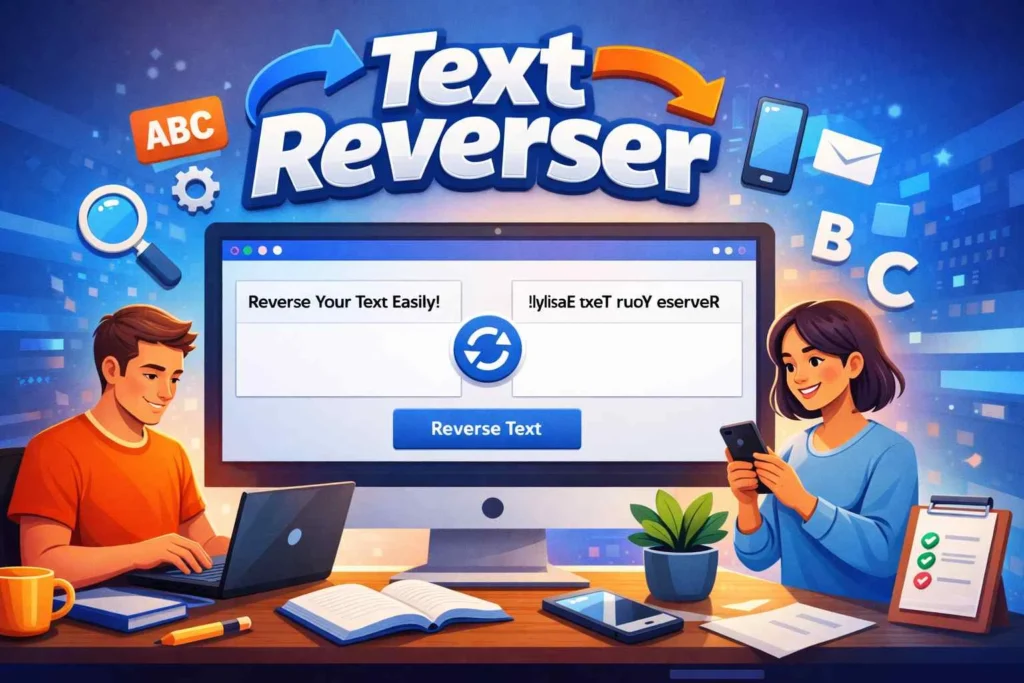
🔄 Text Reverser
Text Reverser – The Complete Tool to Reverse, Flip, and Transform Text Instantly
In today’s digital world, working with text is part of everyday tasks. Whether you’re writing content, coding, or managing data, sometimes you need to transform text in a way that basic tools simply can’t handle. This is where a Text Reverser becomes incredibly useful.
Instead of manually flipping characters or rewriting sentences backward, you can rely on a smart solution that handles everything instantly. A modern tool allows you to reverse text, flip words, and manipulate entire paragraphs without effort. With just a few clicks, you can completely transform your content and save valuable time.
What Is a Text Reverser? (Quick Answer)
A Text Reverser is an online text processing tool that rearranges characters, words, or sentences in reverse order. It allows users to reverse text instantly, create mirrored content, and perform string manipulation online without manual work.
How Text Reversing Works in Practice
A Text Reverser works like a reverse string online system. It takes your input and rearranges it based on your chosen method.
You can:
reverse characters online
reverse words online
reverse sentence online
reverse paragraph text
reverse text without changing order
reverse text without changing word order
This flexibility makes it a powerful text transformation tool for all types of users.
Why People Use Text Reversing Tools
Text reversing is more than just a fun trick—it has real-world applications.
Common Uses
Creating puzzles and hidden messages
Testing code using string manipulation online
Producing unique social media posts
Editing and formatting content
Learning how text processing works
A reliable text processing tool helps you complete these tasks quickly and efficiently.
How to Reverse Text Online Free (Step-by-Step)
Using a reverse text online free tool is extremely easy.
Copy your text
Paste it into the tool
Click reverse
Copy the output
This workflow is known as reverse text copy paste or text reverser copy paste online, making it one of the fastest ways to manipulate text.
Types of Text Reversal You Can Use
Different situations require different methods.
Character Reversal
Flips each letter:
Example:
Hello → olleH
Word Reversal
Changes word order:
Hello world → world Hello
Sentence Reversal
Using reverse words and sentences online, you can flip full sentences easily.
Paragraph Reversal
A reverse paragraph text online instantly feature allows large text transformation in seconds.
Advanced Feature: Reverse Without Changing Word Order
Many users need to reverse text without changing word order.
This feature allows you to:
reverse text without changing word order
reverse text without changing order
keep sentences readable
What Is a Backward Text Generator?
A backward text generator or reverse text generator is a tool that converts text into reversed format.
You can:
use backward text generator online free
create creative text styles
experiment with formatting
Flip Text Online for Creative Output
You can also flip text online to create unique effects:
flip text backwards generator free
mirror text generator
flip words backwards
Reverse Paragraph Text Online Instantly
Handling large text manually is inefficient.
A good tool allows you to:
reverse paragraph text
reverse paragraph text online instantly
process large content quickly
Common Problems When Reversing Text
Many users face issues like:
incorrect formatting
extra spaces
broken structure
encoding errors
How a Good Tool Solves These Problems
A quality tool will:
maintain formatting
handle large text
remove errors
provide accurate output
Real-Life Use Cases
Social Media
Reversed text makes content more engaging.
Programming
Developers use reverse string online tools for testing.
Education
Used for exercises and learning.
⚖️ Manual vs Tool Comparison
| Method | Speed | Accuracy |
|---|---|---|
| Manual | Slow | Medium |
| Tool | Instant | High |
👉 Clearly, using a tool is better.
Why This Tool Is Better Than Others
A modern Text Reverser stands out because it offers:
fast text reverser online performance
no signup
accurate results
multiple modes
Speed and Performance
A fast text reverser tool online processes text instantly.
Device Compatibility
Use it on:
mobile
tablet
desktop
An online text flipper works everywhere.
Is It Free?
Yes, most tools are free.
Use a reverse text free tool without limits.
Advanced Applications
Text Editing Utility
Quick editing without effort.
String Manipulation
Useful for developers.
Online Text Converter
Works as a text reverse converter or online text converter.
Tips for Best Results
✔️ preview output
✔️ choose correct mode
✔️ check formatting
Deep Use Cases (SEO, Coding, Content)
SEO
Helps create unique variations.
Coding
Used in algorithms and debugging.
Content Creation
Creates engaging text.
Authority Insight (Why You Can Trust This Tool)
Modern tools use optimized algorithms to process text instantly and accurately. They are built for performance, reliability, and ease of use, making them suitable for both beginners and professionals.
Best Related Tools for Text Reverser Tool
Word Counter
Analyze reversed text by counting words, characters, and sentences instantly.
👉 Link text: word counter online tool
Case Converter
Change reversed text into uppercase, lowercase, or title case for better readability.
👉 Link text: convert text case online
Remove Extra Space
Clean reversed text by removing unwanted spaces and formatting issues.
👉 Link text: remove extra spaces tool
Palindrome Checker
Check if reversed words or sentences form a palindrome easily.
👉 Link text: palindrome checker online
Find & Replace Text
Quickly edit reversed text by finding and replacing specific words.
👉 Link text: find and replace text online
Final Thoughts
A Text Reverser is not just a simple utility—it’s a powerful tool that simplifies text transformation. Whether you’re reversing characters, flipping words, or processing large content, it provides a fast and reliable solution. learn more about this tool in wikipedia.
Quick Answer
To reverse text instantly, paste your content into a tool, click reverse, and copy the result.
🚀 Try It Now
✔️ reverse text instantly
✔️ flip words backwards
✔️ no signup required
FAQ
How can I reverse text online free?
Use a reverse text online free tool and paste your content.
Can I reverse text without changing word order?
Yes, tools support this feature.
What is a backward text generator?
It converts text into reversed format.
Can I reverse paragraphs?
Yes, use reverse paragraph text online instantly.
Does it work on mobile?
Yes, it works on all devices.
Is it safe?
Yes, tools are secure.
What is reverse text copy paste?
It means copying text, reversing it, and pasting the result.
Can I reverse large text instantly?
Yes, modern tools support large text processing.