All Online Tools on StrongPDF – Free PDF, Image, Text & Utility Tools
Welcome to the All Online Tools section on StrongPDF, your all-in-one digital toolbox designed for productivity, accuracy, and everyday efficiency.




All Online Tools – Simple, Free Tools for Everyday Tasks on strongpdf.com
Introduction
These days, almost everything we do involves the internet. From editing files to calculating numbers or managing time, we depend on tools to get things done. But let’s be honest — jumping from one website to another for different tasks can be annoying and slow.
That’s exactly why having all online tools in one place makes life easier. On strongpdf.com, you can find a wide range of tools designed to handle your everyday needs quickly and without any hassle.
Whether you’re working on a school assignment, running a business, or just doing simple daily tasks, having everything in one place saves both time and effort.
What is All Online Tools on strongpdf.com?
Simply put, all online tools on strongpdf.com is a collection of useful tools that you can use directly in your browser. There’s no need to download anything or install software.
The idea is simple — instead of searching for different tools on different websites, you get everything in one place.
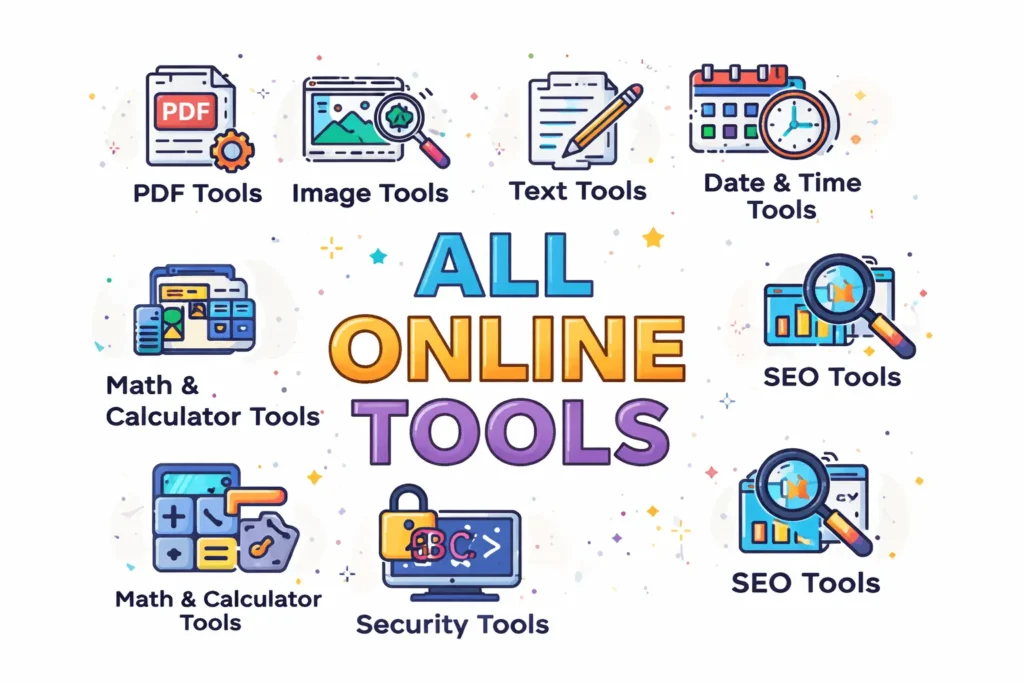
On strongpdf.com, you’ll find tools for:
- Working with PDF files
- Editing and converting images
- Managing and formatting text
- Performing calculations
- Creating secure passwords and codes
- Tracking time and dates
- Improving website SEO
Everything is designed to be easy to use, even if you’re not very tech-savvy.
How to Use All Online Tools (Step-by-Step)
One of the best things about strongpdf.com is how simple it is to use. You don’t need any special skills. Here’s how it works:
Step 1: Go to strongpdf.com
Open your browser and visit the website. You’ll see different categories right on the homepage.
Step 2: Pick What You Need
Choose the category based on your task — like PDF tools, image tools, or calculators.
Step 3: Open a Tool
Click on any tool you want to use, such as PDF to JPG or Image Compressor.
Step 4: Add Your Input
Depending on the tool, you might need to upload a file, paste text, or enter numbers.
Step 5: Click and Process
Hit the button (Convert, Generate, or Calculate), and let the tool do its job.
Step 6: Get Your Result
Within seconds, you’ll see the result on your screen.
Step 7: Download or Copy
You can download your file or copy the result right away.
That’s it — simple and quick.
Why People Prefer All Online Tools
There are plenty of tools available online, but having all online tools in one place makes a big difference. Here’s why people like using strongpdf.com:
Everything in One Place
You don’t need to open multiple tabs or visit different websites. Everything is already organized for you.
Free to Use
All tools are completely free. No hidden fees, no subscriptions.
No Downloads Needed
You can use everything directly in your browser. No installation required.
Fast Results
Most tools give results in just a few seconds.
Easy for Everyone
The design is simple and clean, so even beginners can use it without confusion.
Works on Any Device
Whether you’re on a phone, tablet, or computer, the tools work smoothly.
Safe and Secure
Your data isn’t stored permanently, so you can use the tools with confidence.
Explore the Tool Categories
Let’s take a quick look at what you can actually do on strongpdf.com.
PDF Tools
If you deal with documents, these tools are a lifesaver. You can convert PDFs into images, turn images into PDFs, merge files, or reduce file size. It’s perfect for students, office work, and sharing documents online. pdf tools.
Image Tools
Need to resize a photo or convert it to a different format? No problem. You can also compress images to make them smaller or convert them into WebP for faster website loading. image tools.
Text Tools
These are great for writing and editing. You can count words, fix formatting, remove extra spaces, or even play around with text styles and fonts. text tools.
Math and Calculator Tools
From simple calculations to more detailed ones like salary, ROI, or grades — these tools save you from doing manual math. math and calculator tools.
Security Tools
You can create strong passwords, generate QR codes, or make barcodes easily. These are useful for both personal and business use. security tools.
Date and Time Tools
Planning something? You can set a countdown, track time with a stopwatch, or calculate the number of days between two dates. date and time tools.
SEO Tools
If you run a website or blog, these tools help you create better URLs and improve your content for search engines. seo tools.
Benefits of Using All Online Tools on strongpdf.com
Using all online tools isn’t just about convenience — it actually improves how you work.
- You save time by doing everything in one place
- You don’t need expensive software
- You get quick and accurate results
- You can work from anywhere
- You stay organized and efficient
In short, it makes your daily tasks much easier.
FAQs
1. What are all online tools?
They are a collection of tools that help you perform different tasks online without installing anything.
2. Is strongpdf.com free to use?
Yes, all tools on the website are completely free.
3. Do I need to sign up?
No, you can use all tools without creating an account.
4. Can I use these tools on my phone?
Yes, the website works well on mobile devices.
5. Are my files safe?
Yes, your files are processed securely and not stored permanently.
6. Which tools are most useful?
PDF tools, image tools, and calculators are the most commonly used.
7. Is there any limit?
No, you can use the tools as many times as you want.
8. Are these tools beginner-friendly?
Yes, they are designed to be simple and easy for everyone.
Conclusion
If you’re tired of switching between different websites for small tasks, all online tools on strongpdf.com is exactly what you need. It brings everything together in one place, making your work faster and easier.
From converting files to editing images, calculating numbers, or managing time, you’ll find all the tools you need without any complications.
Give it a try and see how much time and effort you can save by using strongpdf.com for your daily tasks.