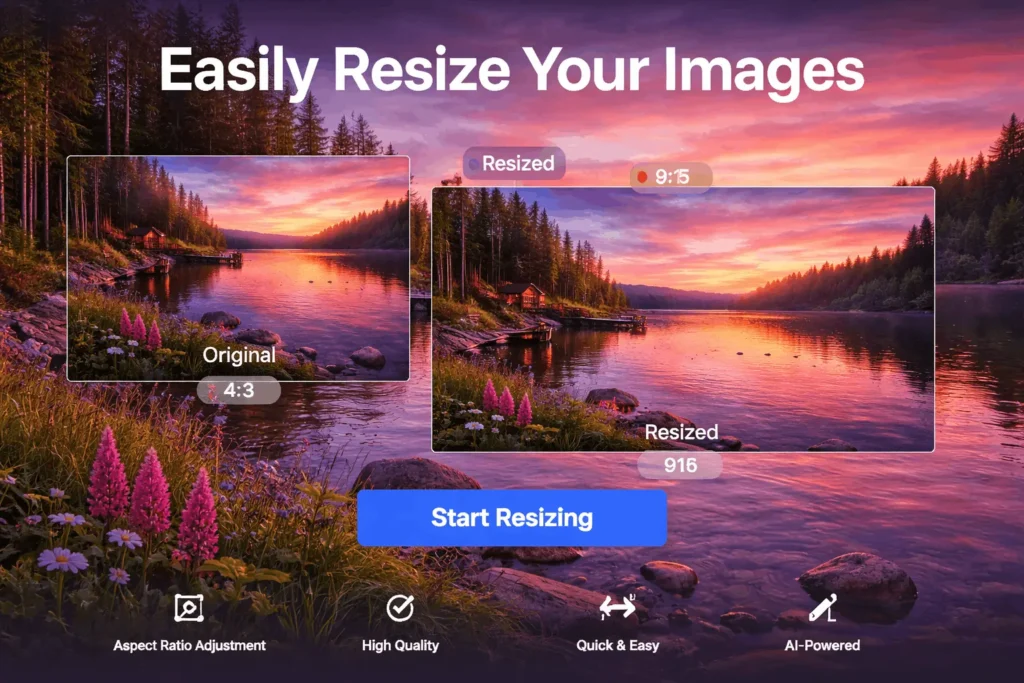
Image Resizer Tool
Resize your images with high quality while keeping original clarity. Control width and height easily and download instantly without losing quality.
0%
Processing...
Resize Image Without Losing Quality – A Practical Guide for Better Image Results (2026)
Working with images sounds simple—until you try to resize one and suddenly the quality drops. Many people face this issue when preparing images for websites, social media, or online sharing. That’s why learning how to resize image without losing quality is so important.
Images play a big role in how your content looks and performs. If they are too large, they slow down loading time. If they lose quality, they look unprofessional. The goal is to find the right balance between size and clarity.
The good news is that you don’t need advanced skills or expensive software. With the right method, you can resize images quickly while keeping them sharp and clean.
Why Resizing Images Matters
Most users don’t think about image size until they run into a problem. Maybe a website loads slowly, or an image doesn’t fit properly on a screen.
Large images take longer to load, which can hurt user experience and even affect SEO rankings. On the other hand, reducing size incorrectly can damage image clarity.
That’s why it’s essential to resize image without losing quality. When done correctly, you can reduce file size while maintaining a professional look.
What Happens When You Resize an Image
Every image is made up of tiny pixels. When you resize an image, you are changing how those pixels are arranged.
If the process is not handled properly, the image can become blurry or distorted. A good method helps you resize image without losing quality by preserving important details and maintaining sharp edges.
Resizing vs Compression
These two concepts are often confused, but they are different.
Resizing changes the dimensions of an image, while compression reduces the file size by optimizing data. In many cases, using both together gives the best results.
For example, you can compress image JPG files to reduce size while still keeping them usable for web and sharing.
How to Resize Image Without Losing Quality
The process is simple and beginner-friendly.
Step-by-Step Guide:
Upload your image
Choose the desired dimensions
Keep the aspect ratio locked
Apply the changes
Download the resized image
Using a reliable tool makes it easy to resize image without losing quality without worrying about technical details.
Best Practices for Better Results
To get the best outcome, follow these simple tips:
Keep Aspect Ratio
Always resize proportionally to avoid stretching or distortion.
Avoid Extreme Reduction
Reducing size too much can remove important details.
Use the Right Format
Choose JPG for photos, PNG for graphics, and WebP for web performance.
Use a Reliable Tool
A good tool ensures you can resize image without losing quality consistently.
Using Online Tools for Resizing
Online tools have made image editing much easier than before.
You don’t need to install anything. Everything works directly in your browser. Many tools also act as an image converter online, allowing you to resize and convert images at the same time.
This flexibility makes it easy to work from any device.
Real-Life Examples
Social Media
Every platform has its own image size requirements. If your image doesn’t match, it may look cropped or stretched.
By resizing properly, your content looks clean and professional.
Website Optimization
Images are one of the main factors that affect website speed.
When you optimize and reduce image size online, your pages load faster and provide a better user experience.
Sharing Images
Large images can be difficult to send through email or messaging apps.
Resizing makes files smaller and easier to share without long upload times.
Resizing Images for the Web
Web performance depends heavily on image optimization.
When you properly resize image without losing quality, you improve loading speed and overall performance. This is especially important for websites and blogs.
Keeping Image Quality Intact
Quality is one of the biggest concerns when resizing images.
A proper method helps you resize image without losing quality by maintaining sharpness, colors, and details. In most cases, the difference is hardly noticeable.
Working with Multiple Images
If you have many images, resizing them one by one can take time.
Batch processing allows you to resize multiple images at once, saving effort and improving workflow.
Common Mistakes to Avoid
Even simple tasks can lead to poor results if done incorrectly:
Stretching the image
Ignoring aspect ratio
Using the wrong format
Over-compressing
Avoiding these mistakes helps maintain better quality.
Advanced Tips for Better Results
If you want to improve your results even further, try these:
Test different sizes before finalizing
Keep a backup of the original image
Use modern formats like WebP
Sometimes, you may need to change image format depending on where the image will be used
These small steps can make a noticeable difference.
Why Image Quality Matters
Image quality affects how people perceive your content.
Blurry images can make your work look unprofessional, while clear images improve trust and engagement.
That’s why it’s always important to resize image without losing quality whenever possible.
Works on All Devices
Modern tools are designed for flexibility.
You can resize images on:
Mobile phones
Tablets
Laptops
Desktop computers
Everything works directly in your browser.
Simple for Everyone
You don’t need to be an expert.
Most tools are designed to be easy. Upload your image, adjust the size, and download the result.
Safety and Privacy
Good tools protect your data.
Your images are processed securely and removed after use, so your files are not stored permanently.
Smart Tools to Enhance Your Image Resizer Experience
Image Compressor
Reduce image size after resizing without losing quality.
👉 Link text: compress image online
Image to WEBP
Convert resized images into WebP format for faster loading and better performance.
👉 Link text: image to webp converter
JPG to PNG
Convert resized JPG images into high-quality PNG format.
👉 Link text: jpg to png converter online
PNG to JPG
Convert resized PNG images into lightweight JPG format for easy sharing.
👉 Link text: png to jpg converter online
Final Thoughts
Resizing images doesn’t have to be complicated. With the right approach, you can resize image without losing quality and keep your visuals sharp and professional.
Whether you are working on a website, social media, or personal projects, this simple step can make a big difference. learn about this tool in wikipedia
Frequently Asked Questions (FAQ)
How can I resize an image without losing quality?
Use a reliable tool, maintain the aspect ratio, and avoid excessive compression.
Is resizing the same as compression?
No, resizing changes the image dimensions while compression reduces the file size.
Can I resize images on mobile devices?
Yes, most online tools are mobile-friendly and work on all devices.
Will the image quality always stay the same?
If done correctly, quality loss is minimal and often unnoticeable.
What is the best format for resizing images?
Formats like PNG and JPG are commonly used; PNG is better for quality, while JPG is better for smaller file size.
Does resizing affect image resolution?
Yes, resizing can affect resolution depending on whether you increase or decrease the image dimensions.
Is it safe to resize images online?
Yes, if you use a trusted and secure online tool, your images are generally safe.
Can I resize multiple images at once?
Yes, many advanced tools support batch resizing to save time and effort.