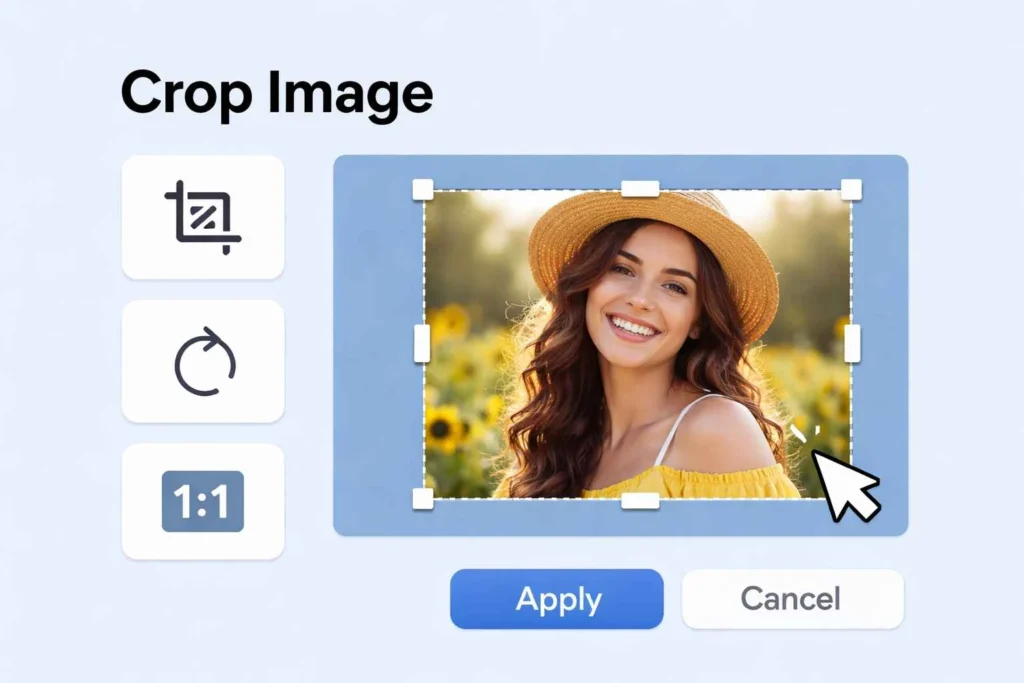
Image Cropper
Live Preview
Free Online Image Cropper – The Easiest Way to Crop and Perfect Your Images
Sometimes, a photo looks almost perfect—but not quite. Maybe there’s too much background, maybe the subject isn’t centered, or maybe the image just doesn’t fit the platform where you want to use it. This is exactly where a free online image cropper becomes incredibly useful.
You don’t always need advanced editing software to fix an image. In reality, most people just want something simple. They want to open a tool, crop an image, and download it without wasting time. That’s why online tools have become so popular.
With the right approach, you can crop image online in just a few seconds. No installation, no learning curve—just quick and clean results.
Why Cropping Is More Important Than You Think
Cropping might seem like a small step, but it can completely change how an image looks.
When you crop an image, you remove distractions and focus attention on what actually matters. A messy image becomes clean. A confusing photo becomes clear.
Here’s why cropping is so useful:
It removes unnecessary background
It improves composition
It highlights the main subject
It makes images look more professional
A simple image crop can make the difference between an average photo and a great one.
When You Should Crop an Image
There are many situations where cropping becomes necessary.
For example:
When your image has too much empty space
When the subject is not centered
When you need a specific size
When preparing content for social media
In these cases, using a free image cropping tool helps you fix the image quickly without overthinking it.
How to Crop Image Online (Step-by-Step)
One of the best things about modern tools is how easy they are to use.
Here’s how you can crop an image:
Upload your image
Select the area you want to keep
Adjust the crop box
Click crop and download
A good image cropper tool makes this process smooth and quick. You don’t need any technical knowledge.
Crop Image Without Losing Quality
A common concern is losing quality during editing.
Nobody wants a blurry or pixelated image after cropping. That’s why it’s important to use a tool that lets you crop image without losing quality.
A reliable tool keeps your image sharp and clear. Even after cropping, the details remain intact.
This is especially important for:
Business images
Website visuals
Social media graphics
Real-Life Examples
📌 Social Media Content
Every platform has its own size requirements. If your image doesn’t match, it can look awkward.
That’s why people crop image for social media size before posting. It ensures everything looks perfect.
📌 Instagram Posts
Instagram uses square and vertical formats.
If your image doesn’t fit, important parts might get cut off. Using a tool to crop image for Instagram post gives you full control.
📌 Profile Pictures
Profile images need to be clean and centered.
With a free online image cropper, you can crop image for profile picture and make sure the subject is perfectly aligned.
Resize and Crop at the Same Time
Sometimes cropping alone isn’t enough. You also need to adjust dimensions.
With tools that let you resize and crop image online, you can handle both tasks together. This saves time and ensures the final image fits perfectly.
Crop Image to Specific Size
Certain platforms require exact dimensions.
For example:
YouTube thumbnails
Website banners
Ads
With the option to crop image to specific size online, you can prepare images that meet exact requirements.
Simple and Beginner-Friendly
Not everyone is comfortable with complex editing software.
That’s why a simple image cropper online is so valuable. It removes unnecessary features and focuses only on what you need.
Upload → crop → download. That’s it.
Crop Image Directly in Your Browser
You don’t need to install anything.
You can crop image in browser using any device. This makes it extremely convenient, especially for quick edits.
No Signup, No Waiting
Many tools ask you to create an account before doing anything.
A crop image tool no signup removes this step. You can start immediately without wasting time.
Fast Image Cropping Experience
Speed matters, especially when you have multiple images.
A fast image cropper tool allows you to edit quickly and move on. You don’t have to wait for processing.
Crop Photo Without Losing Quality
Maintaining clarity is key.
A good tool ensures you can crop photo without losing quality, so your final image still looks professional and sharp.
Best Free Image Cropper Online
Not all tools are equal.
The best free image cropper online should provide:
Easy interface
Fast processing
High quality output
No watermark
These features make the experience smooth and reliable.
Crop Picture Online Anytime
You don’t need to plan ahead.
You can crop picture online anytime—whether you’re working from your phone or computer.
Online Photo Cropper Tool Free
A good online photo cropper tool free gives you full access without restrictions.
You can crop as many images as you want without limits.
Quick Image Cropper Online for Daily Use
Sometimes you just need a quick fix.
A quick image cropper online helps you make small adjustments instantly without going through complicated steps.
Safe and Secure Editing
Uploading images online can feel risky.
A reliable tool ensures your files are processed securely and removed after use.
Common Mistakes to Avoid
Even simple tasks can go wrong if you’re not careful.
Here are some common mistakes:
Cropping too much and losing important parts
Ignoring proper dimensions
Reducing quality accidentally
Not checking final preview
Avoiding these mistakes helps you get better results.
Why Cropping Improves Visual Quality
A well-cropped image looks cleaner and more professional.
It helps viewers focus on the subject and removes distractions. This is especially important for:
Marketing images
Social media posts
Website visuals
A Tool You’ll Keep Using
Once you start using it, you’ll realize how often you need it.
A free online image cropper is not just for one-time use—it becomes part of your regular workflow.
Best Related Tools for Crop Image Tool to Optimize and Enhance Images
Image Dimension Checker
Check image width, height, and resolution after cropping for perfect optimization.
👉 check image dimensions online
Color Gradient
Enhance cropped images with beautiful gradient backgrounds for creative designs.
👉 Link text: create color gradient online
WEBP to PNG
Convert cropped WebP images into PNG format with high clarity and transparency.
👉 Link text: webp to png converter online
Image to WEBP
Optimize your cropped images by converting them into lightweight WebP format.
👉 Link text: convert image to webp online
Final Thoughts
If you want a quick, simple, and effective way to improve your images, using a free online image cropper is one of the best choices you can make.
It helps you remove unnecessary parts, focus on the subject, and prepare images for any platform—all in just a few clicks.
You don’t need experience, and you don’t need software. Everything works directly in your browser. learn abut this tool in wikipedia.
Try It Now
✔️ Crop image online instantly
✔️ Adjust size and focus easily
✔️ No signup required
Frequently Asked Questions (FAQ)
How can I crop image online?
Upload your image, select the area, and download the cropped version.
Is it free to use?
Yes, it is completely free.
Will quality be affected?
No, quality remains high after cropping.
Can I crop images for Instagram?
Yes, you can crop image for Instagram post easily.
Do I need to install software?
No, everything works online.