Preview
Nothing to preview — start typing above.
Counts
Time estimates
Export
Word Counter Tool Online – Count Words & Characters Instantly
Introduction
Every writer, blogger, student, or SEO expert knows how important it is to keep track of word and character counts. Whether you’re writing an article, a tweet, or an academic paper, accuracy matters. That’s where a word counter tool online comes in handy.
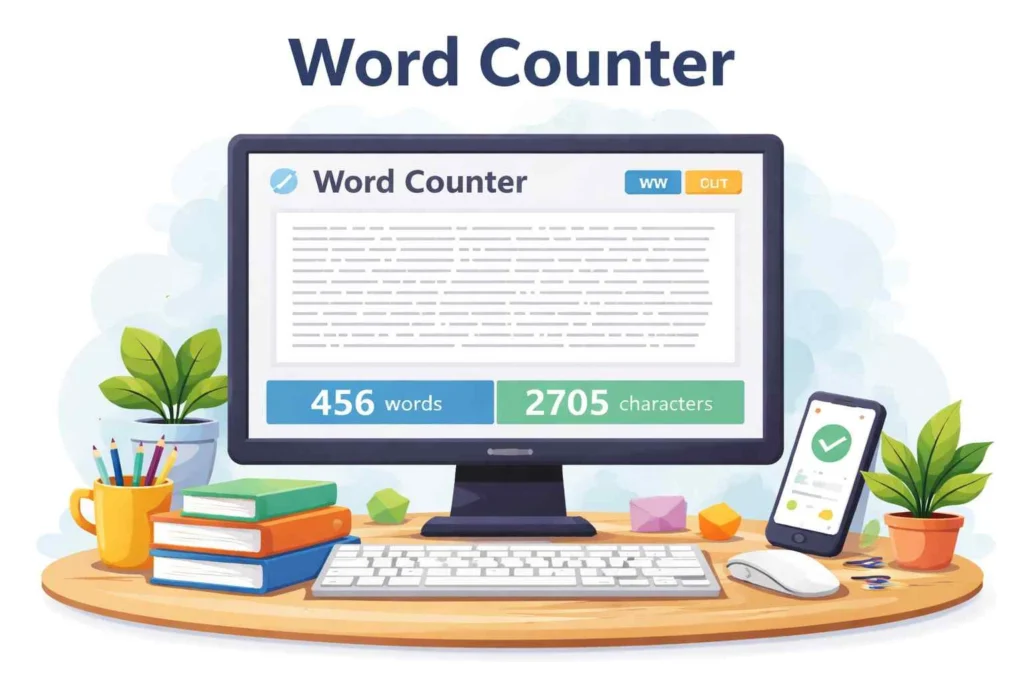
With StrongPDF’s Word Counter Tool, you can instantly check the number of words, characters, sentences, and even paragraphs in your text. This fast, free, and browser-based tool helps ensure your content meets every limit requirement—whether it’s for SEO, school assignments, or professional writing.
In this detailed guide, you’ll learn everything about how this tool works, why it’s useful, and how to make the most out of it.
What Is a Word Counter Tool Online?
A word counter tool online is a digital tool that automatically calculates the number of words, characters, lines, and sentences in your text. It’s especially helpful for writers who need to stay within word limits, like bloggers, journalists, and students.
Key Functions Include:
- Word count – total number of words.
- Character count – includes spaces and punctuation.
- Sentence and paragraph count – to check structure and readability.
- Keyword density – helps SEO writers balance keywords naturally.
With StrongPDF’s online word counter, you can paste your content or type directly in the text area. The tool instantly displays accurate metrics without delays.
Why Use an Online Word Counter?
Let’s explore the major reasons why millions of people rely on word counter tools online every day:
- Writers & Bloggers
Writers often follow strict word limits set by clients or platforms. This tool helps you stay concise and precise.
- Students & Academics
Students use word counters to ensure essays, reports, or dissertations meet assignment requirements.
- Social Media Managers
Each social platform—Twitter, LinkedIn, Instagram—has character limits. The word counter ensures you never exceed them.
- SEO & Copywriters
In SEO writing, keyword balance and word count play a key role in ranking. The StrongPDF Word Counter Tool helps optimize content length and keyword density.
- Translators & Editors
Professionals use it to estimate workload and set pricing based on word count.
Benefits of Using StrongPDF’s Word Counter Tool
Choosing the StrongPDF word counter tool online gives you several unique benefits:
✅ 1. Fast and Accurate
StrongPDF instantly counts every character and word in real time.
✅ 2. Browser-Based
No installations or sign-ups are required. Access it from any device—PC, tablet, or mobile.
✅ 3. Secure and Private
Your text is processed safely within your browser; no data is stored or shared.
✅ 4. Multi-Language Support
Supports counting in English, Spanish, French, and many more languages.
✅ 5. Free to Use
100% free forever—no hidden fees or registration needed.
✅ 6. SEO Insights
Writers can check keyword frequency to improve search engine optimization.
How to Use the StrongPDF Word Counter Tool (Step-by-Step Guide)
Here’s a simple HowTo schema-style guide on using the StrongPDF word counter tool online:
Step 1: Open the Tool
Visit StrongPDF.com/word-counter.
Step 2: Paste or Type Your Text
Copy your content and paste it into the text area. Alternatively, start typing directly.
Step 3: View Real-Time Results
The word, character, and sentence counts update automatically as you type.
Step 4: Analyze Keyword Density
Check the frequency of repeated words to maintain a balanced SEO structure.
Step 5: Copy or Export (Optional)
Once satisfied, copy the analyzed text or export the data for your report or document.
Features of StrongPDF Word Counter
Here’s what makes StrongPDF’s tool stand out:
- Real-Time Counting: Immediate updates with every keystroke.
- Detailed Metrics: Displays words, characters (with and without spaces), sentences, and paragraphs.
- Keyword Analysis: Highlights the top-used words in your text.
- No Login Needed: Instant access with full privacy.
- Responsive Design: Works smoothly on mobile and desktop devices.
- SEO-Ready: Ideal for bloggers, students, and marketers alike.
Accuracy and Technology Behind the Tool
The StrongPDF word counter tool online uses advanced text-parsing algorithms to accurately recognize word boundaries, punctuation, and formatting symbols.
How It Works:
- Parses your text character by character.
- Counts words based on spaces, punctuation, and line breaks.
- Separates sentences using grammar rules and periods.
- Displays updated metrics in milliseconds.
This ensures accuracy above 99.9%, even with complex multilingual text.
Who Can Benefit from the Word Counter Tool?
🧑💼 Writers & Authors
Keep track of writing progress and avoid exceeding publishing limits.
🎓 Students & Teachers
Meet assignment length requirements easily.
📱 Social Media Marketers
Plan posts according to character limits.
💼 SEO Professionals
Optimize web content for readability and keyword ratio.
🧩 Content Editors
Verify consistency, tone, and density before publishing.
Tips for Effective Writing with a Word Counter
To get the best results from your writing and maintain clarity:
- 1. Use Short Sentences: Aim for fewer than 20 words per sentence.
- 2. Check Keyword Density: Keep your focus keyword near 1–2%.
- 3. Maintain Readability: Use transition words and avoid long paragraphs.
- 4. Balance Character Count: For meta titles, aim for 50–60 characters; meta descriptions 140–160.
- 5. Review Structure: Ensure each section flows naturally.
SEO and Readability: Why They Matter
SEO and readability go hand in hand. Search engines favor content that’s user-friendly and well-structured.
StrongPDF’s Word Counter Tool helps writers achieve:
- Balanced word length.
- Improved keyword distribution.
- Better readability scores on Yoast SEO.
For example, Yoast recommends using transition words in 30% of sentences and keeping passive voice under 10%. This tool helps ensure your writing aligns perfectly.
Comparing Word Counter Tools Online
When choosing an online word counter, accuracy and privacy matter most.
|
Feature |
StrongPDF |
Other Tools |
|
Real-time results |
✅ |
⚠️ Sometimes delayed |
|
Data privacy |
✅ Encrypted & local |
❌ Stores data |
|
SEO analysis |
✅ Built-in |
❌ Limited |
|
Free & unlimited |
✅ Yes |
⚠️ Limited usage |
|
Mobile support |
✅ Fully responsive |
❌ Not always |
StrongPDF clearly stands out as a fast, free, and secure choice.
Related Tools on StrongPDF
StrongPDF offers more than just a word counter. Explore other tools that simplify your workflow:
Each of these tools is designed with speed, simplicity, and user privacy in mind.
FAQs About Word Counter Tool Online
- Is StrongPDF’s word counter free to use?
Yes, it’s 100% free and always available—no sign-up required.
- Does it count characters with spaces?
Yes. It provides both counts: with and without spaces.
- Can I use it offline?
No. It’s an online tool that works through your browser.
- Does it support multiple languages?
Absolutely! It works for most Latin and non-Latin scripts.
- Is my text saved or shared?
No, StrongPDF never stores or transmits your data—it’s completely secure.
- Can I use it on my phone?
Yes. The tool is fully mobile-friendly and works perfectly on Android and iPhone.
- Does it show keyword density?
Yes, it highlights frequently used words for SEO optimization.
Conclusion
The word counter tool online by StrongPDF is more than just a counter—it’s your personal writing assistant. Whether you’re preparing a blog, a research paper, or a tweet, this tool ensures accuracy, readability, and SEO balance.
It’s fast, free, private, and available anytime on any device. No logins, no downloads—just paste your text and get instant results.
So why wait?
👉 Try the StrongPDF Word Counter Tool Online today and make every word count!