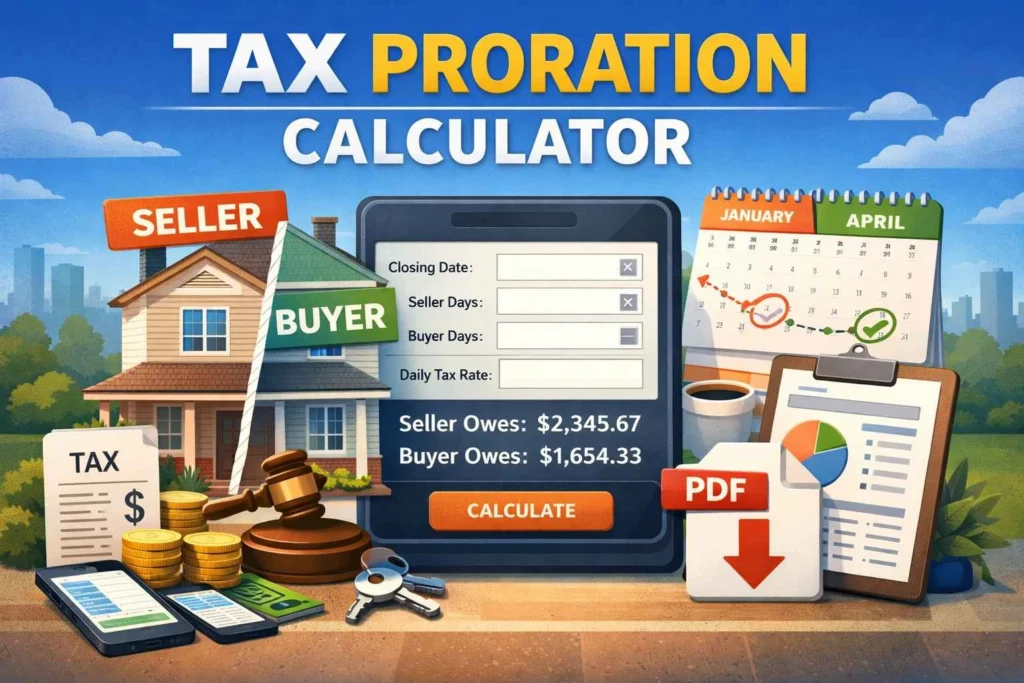
Tax Proration Calculator
Calculate prorated property taxes for real estate transactions. Enter your details below and click "Calculate" to see results. Download as PDF for your records.
Proration Results
Tax division based on closing date
No Calculation Yet
Enter your tax information and click "Calculate" to see results here.
How This Calculation Works
The prorated tax is calculated by determining the daily tax rate (annual tax ÷ days in year) and multiplying it by the number of days each party is responsible for. The seller is responsible for taxes from the start of the tax year until the closing date. The buyer is responsible from the closing date until the end of the tax year.
Tax Proration Calculator – Instantly Split Property Taxes for Real Estate Closings
Buying or selling a home is exciting—but when it comes to the closing paperwork, the details can feel overwhelming. One of the most confusing parts for many people is property tax proration. Who pays what? How do you calculate the seller’s share vs the buyer’s share? And what happens if the closing date is mid-year?
If you’ve ever asked yourself how to prorate property taxes at closing, you’re not alone. This is one of the most common real estate closing questions, especially for first-time buyers and sellers.
That’s why our Tax Proration Calculator is designed to make the entire process simple. In just a few seconds, you can calculate the daily property tax rate, determine the seller and buyer portions, and instantly see the prorated tax amount due at closing. Best of all, this is a free tax proration calculator online, and it works instantly with no signup required.
You will discover what tax proration is, why it is important, and how to use the results of a tax proration calculator in an actual transaction in this article. This tool can help you avoid costly mistakes and save time whether you’re a buyer, seller, realtor, investor, or homeowner.
What is a Tax Proration Calculator?
A Tax Proration Calculator is an online tool that calculates how property taxes should be divided between two parties—usually the seller and buyer—during a real estate transaction. Since property taxes cover a full tax year, and most homes are sold mid-year, taxes need to be fairly split based on how long each party owns the property during that period.
Why Property Tax Proration Exists
Property taxes are typically billed:
- annually
- semi-annually
- quarterly
But ownership can change on any day of the year. If the seller owns the home for part of the year and the buyer owns it for the rest, it wouldn’t be fair for one person to pay the full tax bill.
So, tax proration ensures:
- the seller pays taxes for the days they owned the property
- the buyer pays taxes for the days they own it after closing
This is why seller buyer tax proration calculation is standard in most closings.
What the Tool Calculates
A modern tax proration calculator for real estate closing typically calculates:
- Annual property tax amount
- Days in the tax year (365 or 366 for leap years)
- Daily tax rate
- Closing date
- Tax responsibility start date
- Number of days seller is responsible
- Seller portion
- Buyer portion
- Prorated tax due at closing
- Optional: PDF report download
Key Features of This Tool (Modern Level 10)
This calculator is built as a premium-quality tool (level 10 modern UX):
- Instant calculation (no loading)
- Responsive design (mobile + tablet + desktop)
- Error validation (prevents wrong inputs)
- Leap year support
- Clean breakdown results
- Seller vs buyer split
- Daily tax rate display
- PDF report download
- No signup required
- Elementor-friendly embed
Why Choose This Tax Proration Calculator?
There are many calculators online, but most are:
- confusing
- not mobile-friendly
- full of ads
- missing key details
This one is built specifically for real estate closings with:
- a clean UI
- accurate calculations
- printable PDF summary
So if you’re searching for the best tax proration calculator for real estate closing, this tool is built exactly for you.
How to Use Tax Proration Calculator? (Step-by-Step Guide)
Using this calculator is extremely easy—even if you have zero real estate experience. Below is a simple guide to help you calculate proration correctly.
Step 1 – Enter Annual Property Tax Amount
In the first field, enter the annual property tax.
Example:
Annual property tax = $4,800
This is usually found in:
- property tax statement
- county assessor website
- closing documents
- listing information
Tip: Always enter the annual total, not monthly payments.
Step 2 – Enter the Tax Year
Enter the year you want to calculate proration for.
Example:
Tax Year = 2026
The calculator automatically detects:
- whether it’s a leap year
- how many days are in the year
This matters because:
- 365 days changes the daily rate
- 366 days changes it slightly
Step 3 – Select Closing Date
Choose the month and day of closing.
Example:
Closing Date = July 15, 2026
This is the date the property officially changes ownership.
Step 4 – Select Tax Responsibility Start Date
This is where many people get confused.
The tax responsibility start date means:
- the date when tax counting begins for the seller
In most cases, it is:
- January 1 of the tax year
But sometimes, local tax calendars differ. This tool lets you choose the correct start date.
Example:
Responsibility Start Date = January 1, 2026
Step 5 – Click “Calculate Prorated Tax”
Once you click calculate, you’ll instantly see:
- Annual tax amount
- Daily tax rate
- Seller portion
- Buyer portion
- Prorated tax due at closing
This answers the question:
✅ how to prorate property taxes at closing
Tips for Best Results
To get the most accurate result:
- Use the correct tax year for the closing
- Confirm the annual tax total (avoid estimates if possible)
- Double-check closing date
- Make sure responsibility start date matches your county’s tax calendar
Common Mistakes to Avoid
Avoid these common errors:
- Entering monthly taxes instead of annual taxes
- Selecting the wrong tax year
- Using an estimated tax amount that is outdated
- Confusing closing date with possession date
- Forgetting leap year impact
Benefits of Using a Tax Proration Calculator
A good proration tool isn’t just about math—it prevents real closing mistakes. Here are the biggest benefits.
Save Time During Closing
Without a calculator, you would have to:
- compute daily tax rate manually
- count days between dates
- calculate seller and buyer portions
This tool automates everything instantly.
Improve Accuracy
Manual tax proration is prone to errors, especially with:
- date counting
- leap years
- rounding
The calculator ensures accurate proration using exact days.
Free and Cost-Effective
This is a:
- free tax proration calculator online
- no fees
- no hidden costs
User-Friendly (No Skills Needed)
You don’t need:
- spreadsheets
- accounting knowledge
- real estate software
Just enter values and calculate.
PDF Report for Records
One of the most powerful features is:
✅ tax proration calculator with pdf report
This is perfect for:
- buyers
- sellers
- real estate agents
- title companies
- investors
You can attach the PDF to your transaction file.
Who Should Use This Tax Proration Calculator?
Anyone involved in a real estate deal can benefit.
Home Buyers
Buyers need to know:
- how much tax credit they owe
- what portion they will be responsible for
Home Sellers
Sellers want to confirm:
- their portion is fair
- the proration matches closing documents
Real Estate Agents
Agents can use it to:
- explain proration to clients
- provide quick estimates
- avoid confusion at closing
Investors and Landlords
Investors often buy/sell multiple properties yearly. This tool helps keep calculations consistent and fast.
Title & Escrow Professionals
Even professionals can use it for:
- quick verification
- clean printable reports
Property Tax Proration Explained (Simple Example)
Let’s break down a real example.
Example Scenario
- Annual property tax: $3,650
- Tax year: 2026 (365 days)
- Responsibility start date: Jan 1
- Closing date: April 11
Step 1 — Daily Rate
Daily rate = 3,650 ÷ 365 = $10/day
Step 2 — Days Seller Responsible
From Jan 1 to Apr 11 = 100 days (example)
Step 3 — Seller Portion
Seller portion = 100 × $10 = $1,000
Step 4 — Buyer Portion
Buyer portion = 3,650 − 1,000 = $2,650
Prorated Tax at Closing
In many closings:
- seller credits buyer this amount
- or seller pays it as part of settlement
Internal Links (Tools You Should Also Use)
To make your closing calculations even easier, try these tools too:
- Age Calculator – Calculate exact age instantly
- Percentage Calculator – Find percentages in seconds
- Tip Calculator – Split tips fairly for restaurants
- Retirement Calculator – Plan your retirement savings
(These internal links help SEO and user engagement.)
FAQs About Tax Proration Calculator
Here are the most common “People Also Ask” questions.
1) Is this Tax Proration Calculator free to use?
Yes. It’s completely free and you can calculate property tax proration anytime without paying.
2) Can I use this Tax Proration Calculator on mobile devices?
Yes. The tool is fully responsive and works smoothly on Android, iPhone, and tablets.
3) How accurate is this Tax Proration Calculator?
It is highly accurate because it uses:
- exact days in the year
- real date validation
- correct daily rate calculation
4) Does this tax proration calculator require signup?
No. It is a tax proration calculator without signup, so you can use it instantly.
5) What is the seller buyer tax proration calculation based on?
The calculation is based on:
- annual tax total
- daily rate
- number of days each party owns the property during the tax year
6) What if my county tax year doesn’t start January 1?
No problem. This tool allows you to select a custom tax responsibility start date, which helps match your local tax calendar.
7) Can I download the results?
Yes. You can download a clean report using the built-in PDF option. This is ideal if you want a printable summary.
8) Is this the best tax proration calculator for real estate closing?
If you need speed, accuracy, and a PDF report, this tool is one of the best options because it is designed specifically for closings.
Conclusion & Call-to-Action
Property tax proration doesn’t need to be confusing or stressful. Instead of guessing numbers or doing manual math, use our Tax Proration Calculator to instantly calculate the seller and buyer portions based on your closing date.
Whether you’re buying your first home, selling a property, or working as a real estate agent, this tool saves time and prevents mistakes. You’ll get a clear breakdown, accurate daily tax rate, and even a downloadable PDF report for your records.
👉 Don’t waste time with complicated calculations. Try the Tax Proration Calculator now and get your prorated tax amount in seconds—free, fast, and with no signup required.