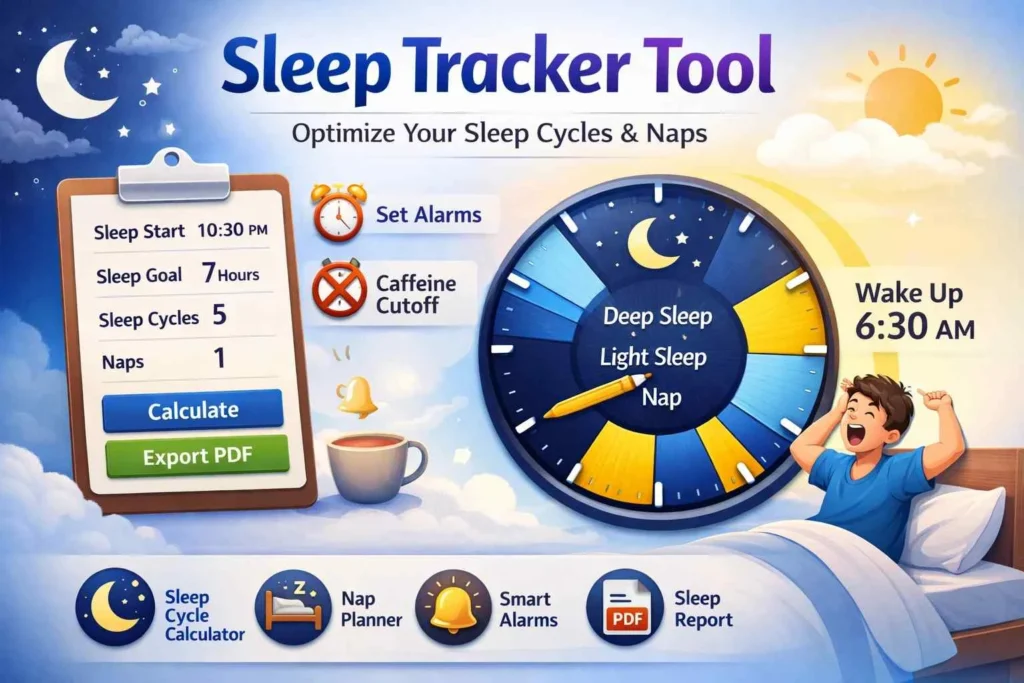
Sleep Tracker with Animated Clock – Optimize Your Sleep Cycles
Easily track your night sleep, naps, and sleep cycles with an animated clock, receive alarms and sound alerts, monitor deep and light sleep composition, and get personalized caffeine cutoff recommendations to improve your overall rest and energy.
Advanced Sleep Tracker
Optimal Times
Sleep Clock
Caffeine Cutoff
Track Your Sleep Effectively with Our Advanced Sleep Tracker Tool
Sleep is one of the most important factors for maintaining good health, improving productivity, and enhancing overall well-being. Many people struggle with irregular sleep patterns, difficulty falling asleep, or not getting enough restorative sleep. That’s why we created our Advanced Sleep Tracker Tool with Alarms, designed to help you optimize your sleep cycles and wake up refreshed.
Why Track Your Sleep?
Tracking your sleep allows you to:
- Understand your sleep patterns and cycles.
- Identify periods of deep and light sleep.
- Improve your productivity and mood.
- Prevent sleep deprivation and its long-term health effects.
With our Sleep Tracker Tool, you can not only monitor your sleep but also receive notifications and alerts for optimal wake-up times.
Features of the Sleep Tracker Tool
Our sleep tracker is more than just a timer. Here’s what makes it unique:
- Night Sleep Cycle Calculator
Simply enter your bedtime, and the tool calculates optimal wake-up times based on your desired sleep cycles. This ensures you wake up during light sleep, avoiding grogginess.
- Nap Scheduler
Plan your naps effectively! Enter the number of naps you take, and the tool will calculate the best times for each nap to improve alertness and energy.
- Sleep Clock with Animated Pointer
The interactive sleep clock shows real-time sleep progress. Deep sleep, light sleep, and naps are visualized in distinct colors so you can easily track your sleep composition.
- Alarms and Notifications
Enable alarms to get notifications or sound alerts for wake-up times. The tool helps you wake up at the right moment without disrupting your sleep cycles.
- Caffeine Cutoff Recommendations
The tool calculates the optimal time to stop consuming caffeine, ensuring that your body is prepared for restorative sleep.
- PDF Sleep Summary
Generate a detailed PDF summary of your sleep schedule. This feature is perfect for those who want to monitor sleep trends over time.
How to Use the Sleep Tracker Tool
- Enter your night sleep start time.
- Set your desired sleep hours and number of sleep cycles.
- Add your nap schedule, if needed.
- Click Calculate to generate optimal sleep and wake-up times.
- Use the interactive sleep clock to monitor sleep progress.
- Optionally, click Export PDF to save your sleep summary.
Benefits of Using Our Sleep Tracker
- Wake up feeling refreshed and alert.
- Avoid grogginess caused by waking up during deep sleep.
- Track your sleep composition over weeks and months.
- Improve overall sleep hygiene and well-being.
- Make informed lifestyle changes like limiting caffeine before bedtime.
Who Can Benefit from This Tool?
- Professionals with irregular work hours.
- Students needing optimized study and nap schedules.
- Parents trying to balance sleep with family routines.
- Anyone looking to improve sleep quality and track progress.
SEO Keywords to Target
- Sleep tracker tool
- Best sleep tracker online
- Sleep cycle calculator
- Nap calculator
- Track your sleep
- Optimize sleep cycles
- Sleep alarm tool
Frequently Asked Questions (FAQ)
1. What is a Sleep Tracker Tool?
A Sleep Tracker Tool helps you monitor and optimize your sleep patterns. It calculates sleep cycles, nap schedules, and optimal wake-up times, allowing you to wake up feeling refreshed and alert.
2. How does the Sleep Cycle Calculator work?
The Sleep Cycle Calculator divides your sleep into 90-minute cycles of deep and light sleep. By calculating the best times to wake up, it ensures you avoid grogginess caused by waking during deep sleep.
3. Can I use this tool for scheduling naps?
Yes! The tool includes a Nap Calculator that helps you schedule short naps without disturbing your night sleep. Naps are planned in cycles to maximize alertness and energy.
4. Does the tool include alarms or notifications?
Absolutely. You can enable sound alerts or browser notifications for each sleep cycle or nap, helping you wake up at the optimal time.
5. Can I export my sleep schedule?
Yes! The Sleep Tracker Tool allows you to export a PDF summary of your sleep schedule, including night sleep cycles and naps. This makes it easy to track your sleep patterns over time.
6. Does it recommend when to avoid caffeine?
Yes. Based on your bedtime, the tool calculates the ideal caffeine cutoff time, helping you avoid stimulants that can interfere with deep sleep.
7. Who can benefit from this Sleep Tracker Tool?
Professionals with irregular work hours.
Students looking to optimize naps and study schedules.
Parents balancing sleep with family routines.
Anyone seeking to improve sleep quality and overall well-being.
8. Where can I learn more about healthy sleep habits?
You can check authoritative resources like:
National Sleep Foundation – for sleep tips and guidelines.
CDC Sleep Recommendations – for recommended sleep hours by age.
Conclusion
Getting quality sleep is essential for your physical and mental health. With our Advanced Sleep Tracker Tool, you can take control of your sleep, track your cycles, and wake up at the optimal time. Start tracking your sleep today and improve your health, productivity, and overall energy levels.