Palindrome Checker PRO
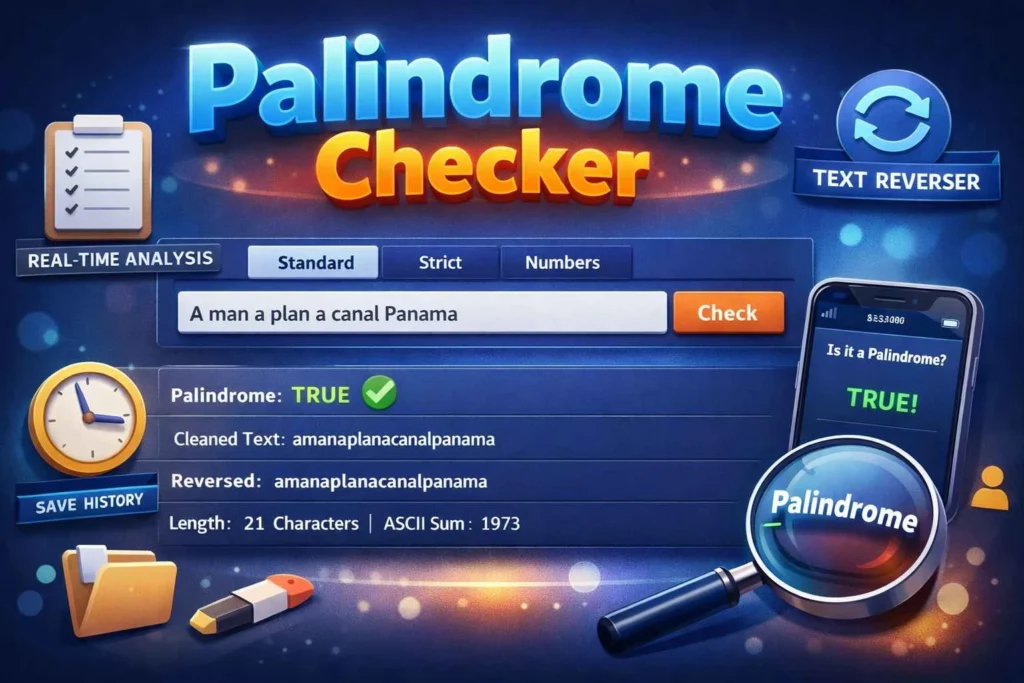
Instantly detect palindromes in any text with real-time analysis, multiple detection modes, and comprehensive metrics including length, character type, and ASCII values
Palindrome Checker – Instantly Detect Palindromes for Students & Professionals
Introduction
Are you struggling to check if your text, words, or numbers are palindromes? Palindrome Checker is designed to help students, writers, developers, and content creators identify palindromes accurately and instantly. With this free online tool, you can analyze phrases, words, or numeric sequences in real-time, saving time while ensuring your results are accurate.
This guide will show you how to use our Palindrome Checker effectively, explore its features, and maximize its benefits for various use cases. Whether you want to test amusing phrases, validate text data, or improve your coding logic, our tool offers step-by-step feedback and detects palindromes in standard text, strict case-sensitive mode, or numbers-only sequences, making it extremely versatile.
What is Palindrome Checker?
Palindrome Checker is a powerful online tool that helps users instantly determine whether a word, phrase, or number is a palindrome. A palindrome is a sequence that reads the same forward and backward, ignoring spaces, punctuation, or capitalization (based on your settings).
This modern tool is ideal for students, writers, programmers, and content creators who need quick and accurate palindrome detection. It is designed with a user-friendly interface, works in real-time, and doesn’t require registration.
Key Features
Real-Time Detection
Check your text instantly without waiting. The tool updates the results as you type.Multiple Detection Modes
Standard Mode: Ignores punctuation and spaces.
Strict Mode: Considers capitalization and exact characters.
Numbers Mode: Checks numeric palindromes only.
Comprehensive Analysis
Get detailed metrics including:Original text
Cleaned text
Length
Character type
Reversed text
ASCII sum
History Tracking
Save your recent palindrome checks and access them later. You can also clear history whenever needed.Easy Sharing and Copying
Copy results with a single click, perfect for assignments or coding exercises.
Why Choose This Tool?
Compared to other palindrome tools, this checker is:
Fast & Accurate – Processes text instantly with real-time updates.
Versatile – Works for letters, numbers, and mixed sequences.
Modern UI – Clean, responsive design for all devices.
Free & No Signup – No restrictions, fully accessible online.
Use this free tool for this
For text editing before palindrome detection, use Find & Replace Text.
Reverse sequences with Text Reverser for better analysis.
How to Use Palindrome Checker?
Step 1 – Enter Your Text
Type your word, sentence, or number in the input box. You can also paste copied text.
Step 2 – Choose a Mode
Select one of the three tabs:
Standard – Ignore punctuation and capitalization.
Strict – Exact match including uppercase and lowercase.
Numbers – Analyze numeric sequences only.
Step 3 – Customize Settings
Use toggle features:
Ignore punctuation ✅
Ignore numbers ✅
Case-sensitive ✅
Save history ✅
Step 4 – Check the Palindrome
Click the “Check” button. The tool will display:
Status (TRUE/FALSE)
Cleaned version of the text
Reversed text
Character count and ASCII values
Step 5 – Copy or Save Results
Use the copy button to save results or view your recent checks in the history panel.
Tips for Best Results:
Remove extra spaces using Remove Extra Space.
Convert all letters to a single case with Case Converter.
Avoid inputting symbols unless testing strict mode.
Common Mistakes to Avoid:
Forgetting spaces in multi-word phrases.
Using incorrect mode for numbers-only palindromes.
Ignoring the case sensitivity setting when needed.
Benefits of Using Palindrome Checker
Save Time: Check multiple words or phrases instantly without manual verification.
Accuracy: Advanced cleaning algorithms remove spaces, punctuation, and optionally numbers.
Free & Cost-Effective: Completely free and works without signup.
User-Friendly: Simple interface, modern UI, and responsive design for mobile and desktop.
Extra Benefits:
Mobile-Friendly: Check palindromes on any device.
History Tracking: Keep a record of recent checks.
Multiple Modes: Standard, strict, or numbers-only mode.
Use others service tool:
Check text length before analyzing using Word Counter.
Clean your text efficiently with Remove Extra Space.
Who Should Use Palindrome Checker?
Anyone who wants to analyze text sequences for palindromes can benefit from this tool. This includes:
Students – For assignments, puzzles, and coding projects.
Writers – For literary palindromes or wordplay.
Programmers – To test string manipulation and palindrome logic.
Content Creators – To generate creative text patterns.
Teams & Organizations – For gamification or educational activities.
FAQs About Palindrome Checker
Is Palindrome Checker free to use?
Yes! It’s completely free and works online without signup.
Can I use it on mobile devices?
Absolutely. The tool is responsive and works on all smartphones, tablets, and desktops.
How accurate is the Palindrome Checker?
It provides real-time analysis and checks multiple metrics for precise results.
Does it require installation?
No. It’s fully web-based and ready to use instantly.
Can I ignore punctuation or numbers?
Yes. The toggle options allow ignoring punctuation, numbers, or enforcing strict case sensitivity.
Can I save my checks?
Yes. Enable Save History to keep track of your recent checks.
What detection modes are available?
Standard: Ignores punctuation & capitalization
Strict: Case-sensitive
Numbers: Checks numeric sequences only
Can I copy results for later use?
Yes. Click the copy button to copy the cleaned palindrome result instantly.
Conclusion
Don’t waste time manually checking text for palindromes. Try the Palindrome Checker today and detect sequences instantly with real-time feedback. Click here to start using it for free and experience fast, accurate results with multiple detection modes, history tracking, and comprehensive analysis.
Enhance your workflow by combining it with related tools like:
Use other related tool free USE
Word Counter – Check text length & characters before analyzing.
Remove Extra Space – Clean up your text to ensure accurate palindrome detection.
Text Reverser – Reverse your text to see patterns or test palindrome sequences.