
Fast Image Resizer
Quickly resize images online without losing quality. Easy, secure, and free — adjust image dimensions in seconds for web, social media, or email.
Image Resizer
Resize multiple images quickly and download them individually or as ZIP.
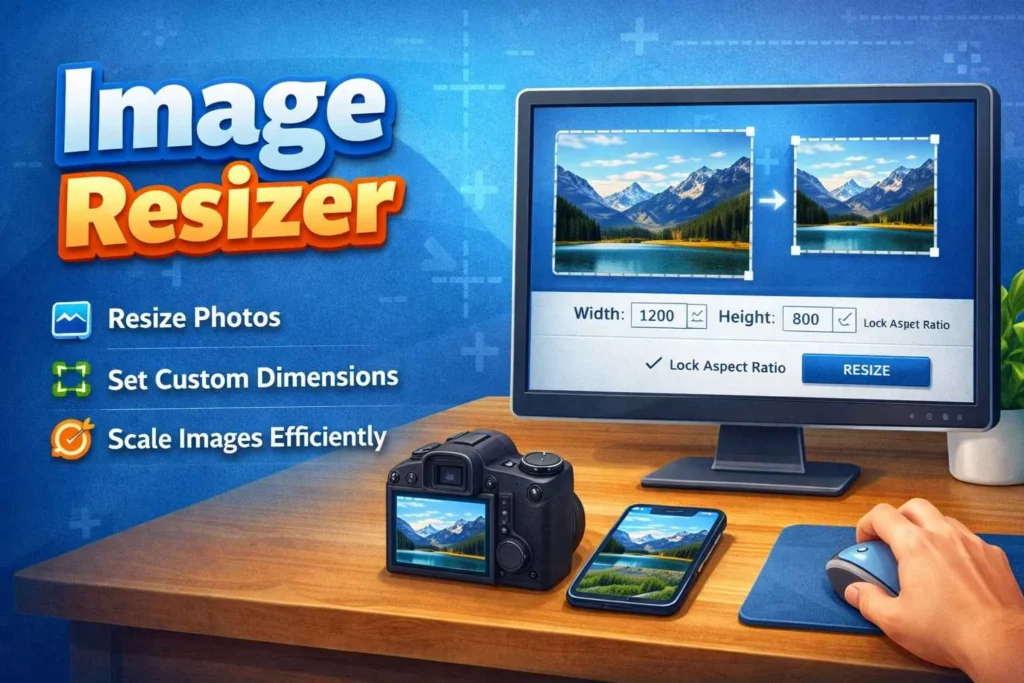
Image Resizer Tool – Resize Images Online Fast, Easy & Secure
Using an image resizer online is essential for anyone working with digital content today. From websites and blogs to online stores, mobile apps, and social media platforms, images communicate ideas faster than text alone. A reliable image resizer tool helps users adjust image size, change dimensions, and optimize visuals for faster loading without installing complicated software.
Large image files can slow down websites, increase data usage, and create a poor experience for mobile visitors. Many platforms also enforce strict upload limits and specific dimension requirements. Because of this, resizing images with a professional online image resizer is a critical step for bloggers, marketers, designers, students, and business owners alike.
Our Image Resizer Online Tool allows you to resize photos quickly and securely. It works in your browser, preserves image quality, and processes files instantly without storing them. Whether you need images for websites, social media, emails, or mobile devices, this tool simplifies the process and ensures consistent results.
This article explains how an image resizer works, why resizing images correctly improves SEO and performance, and how to use the tool effectively. All recommendations follow modern SEO practices to provide maximum value to users and search engines.
WHAT IS AN IMAGE RESIZER TOOL?
An image resizer is an online utility that allows users to change the width and height of an image while maintaining its original proportions. A good image resizer ensures that resized images remain sharp and visually clear.
Common purposes include:
Resizing images for websites
Adjusting photos for social media platforms
Reducing image size for faster loading
Preparing images for mobile screens
Meeting upload size requirements
Unlike basic editing tools, a professional resize image online tool focuses on performance and quality preservation.
WHY IMAGE RESIZING IS IMPORTANT FOR SEO
Search engines prioritize websites that load quickly and provide a smooth user experience. Large images increase page size and slow down loading time, which negatively affects rankings.
Proper image resizing helps:
Improve page speed
Enhance Core Web Vitals
Reduce bounce rate
Improve mobile usability
Increase overall SEO performance
Using an image resizer online tool supports better indexing and higher visibility in search results.
FEATURES OF OUR IMAGE RESIZER TOOL
✔ Resize Images Without Losing Quality
Advanced resizing ensures images remain sharp.
✔ Reduce Image Size Efficiently
Helps optimize visuals for faster loading.
✔ Resize Images for Social Media
Perfect for platforms with strict size rules.
✔ Mobile-Friendly Tool
Works smoothly on smartphones and tablets.
✔ Secure & Private
Images are processed instantly and deleted automatically.
✔ No Installation Required
Works entirely online in any browser.
HOW TO USE THE IMAGE RESIZER TOOL
- Upload your image
- Enter desired width and height
- Preview the resized result
- Download the optimized image
The process is fast and beginner-friendly.
USE CASES FOR IMAGE RESIZER
Resize Images for Websites
Optimized images improve loading speed and layout consistency.
Resize Photos for Social Media
Meet exact size requirements for posts and ads.
Resize Images for Mobile Devices
Ensure better display on smaller screens.
Reduce Image Size for Email
Send images faster without attachment issues.
IMAGE RESIZER VS IMAGE COMPRESSOR
An image resizer adjusts dimensions, while an image compressor reduces file size. Both are important, but resizing images is often the first step before compression.
Comparison: Image Resizer vs Image Compressor
Feature | Image Resizer | Image Compressor |
Function | Changes image dimensions | Reduces file size |
Quality | Maintains clarity | Slight quality reduction possible |
Speed | Fast | Fast |
Batch Processing | Supported | Supported |
Ideal Use | Social media, web, presentations | Web optimization, SEO |
SECURITY & PRIVACY
User privacy is a priority. Uploaded images are never stored or shared. All processing happens instantly and securely.
FREQUENTLY ASKED QUESTIONS (FAQ)
1️⃣ What is the Image Resizer tool used for?
The Image Resizer tool allows users to resize images to specific width and height dimensions directly in the browser without uploading files to any server.
2️⃣ Can I resize multiple images at the same time?
Yes. You can upload multiple images, resize them together, and download all resized images at once as a ZIP file.
3️⃣ Does the Image Resizer maintain aspect ratio?
Yes. The tool includes an option to maintain the original aspect ratio so images resize proportionally without distortion.
4️⃣ Are images uploaded to a server during resizing?
No. All image resizing happens locally in your browser. Images are never uploaded, stored, or shared online.
5️⃣ Which image formats are supported for resizing?
The Image Resizer supports all common image formats such as JPG, PNG, and other browser-supported image types.
FINAL THOUGHTS
An Image Resizer Tool is essential for anyone who works with digital images. From improving SEO and performance to meeting platform requirements, resizing images correctly saves time and improves results.
This tool is designed to deliver fast, secure, and high-quality photo resizing for all users. Whether you need to resize images for websites, social media, or mobile devices, this image resizer provides a reliable and efficient solution.